
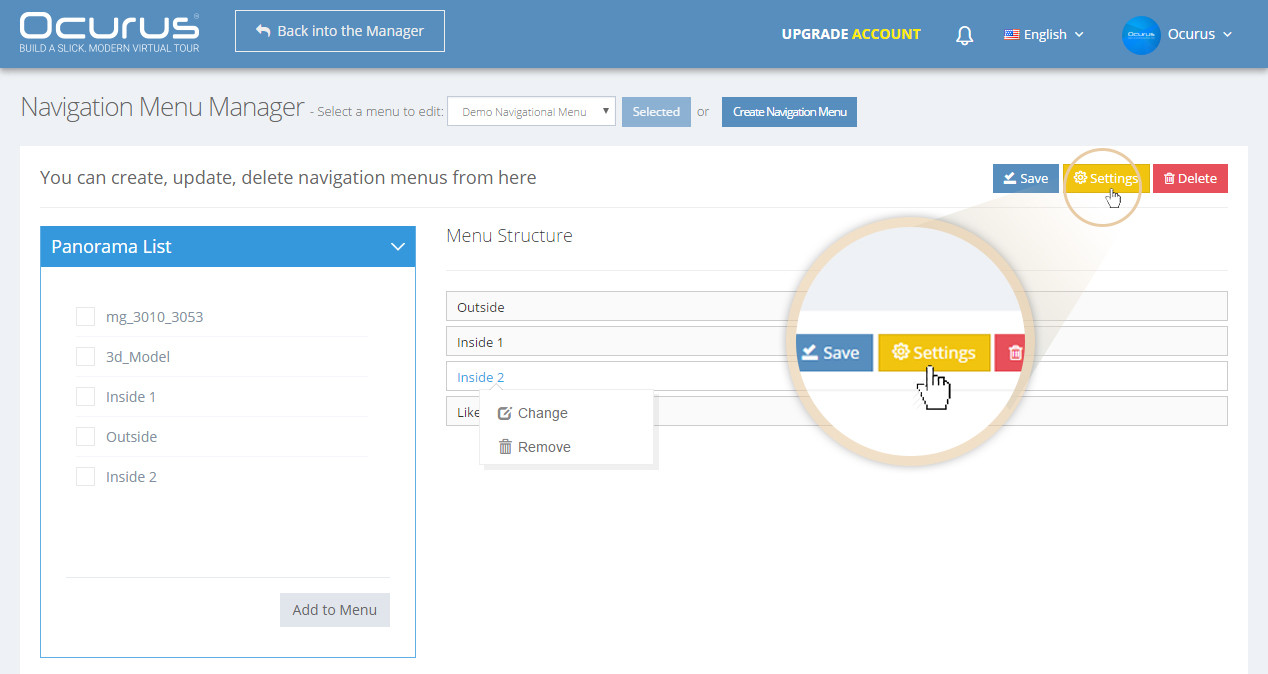
In this tutorial, I will teach you how to add your "Navigation Menu" into your virtual tour. Click on the "Settings" button located on the top right corner of your "Navigation Menu Manager".
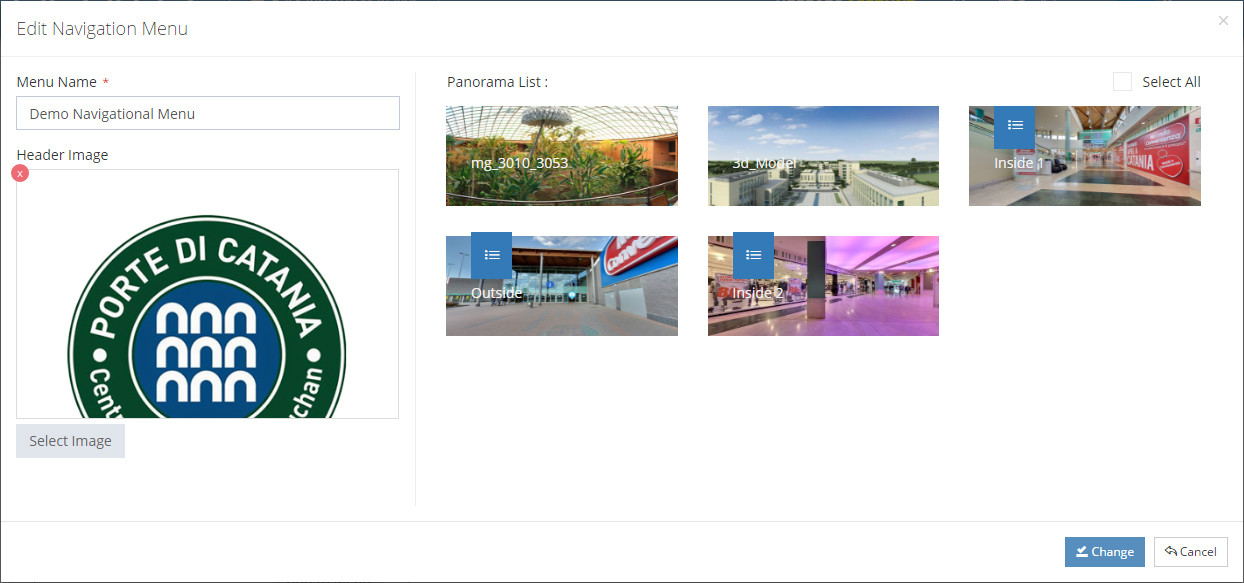
Select the Panoramas from the "Panorama List" that need to show current "Navigation Menu". Then click "Change" button to save your changes.